
ライノ・フー
January 19, 2026
4 min
ライノ・フー
January 19, 2026
4 min
Collab posts on Instagram allow two or more accounts to share one post, combining reach, likes, comments, and views in one place. This feature is popular with creators, brands, and everyday users who want more visibility without posting twice. Many people use collab posts for partnerships, joint videos, product mentions, or shared announcements. Still, questions remain about how to set them up, how many collaborators are allowed, and what rules apply after posting.
This blog post explains everything in clear steps, simple terms, and practical examples so you can understand collab posts fast and use them with confidence to grow your reach and engagement on Instagram.
An Instagram collab post (also known as a collaborator post on Instagram) is a single post shared by two or more accounts at the same time. Instead of tagging someone traditionally, Instagram allows you to invite collaborators, making the post appear on everyone’s profile feed once accepted.
Here’s how it works in plain terms:
One account creates the post
Other accounts are invited as collaborators
Once they accept, the post shows on all collaborators’ feeds
Likes, comments, and views are shared across all accounts
In other words, one post, multiple audiences. Pretty slick, right?
Let’s be real—organic reach isn’t what it used to be. That’s where collaboration posts on Instagram shine.
Benefits of collab posts include:
Increased reach without ads
Higher engagement rates
Shared social proof
Faster follower growth
Stronger creator-brand relationships
For creators, it’s a growth hack. For brands, it’s credibility on autopilot.
Wondering how to do collaborative post on Instagram? Follow these steps carefully:
Open Instagram and tap the “+” icon. Choose a photo, carousel, or video (including Reels).

Apply filters, edits, and adjustments just like any normal post.
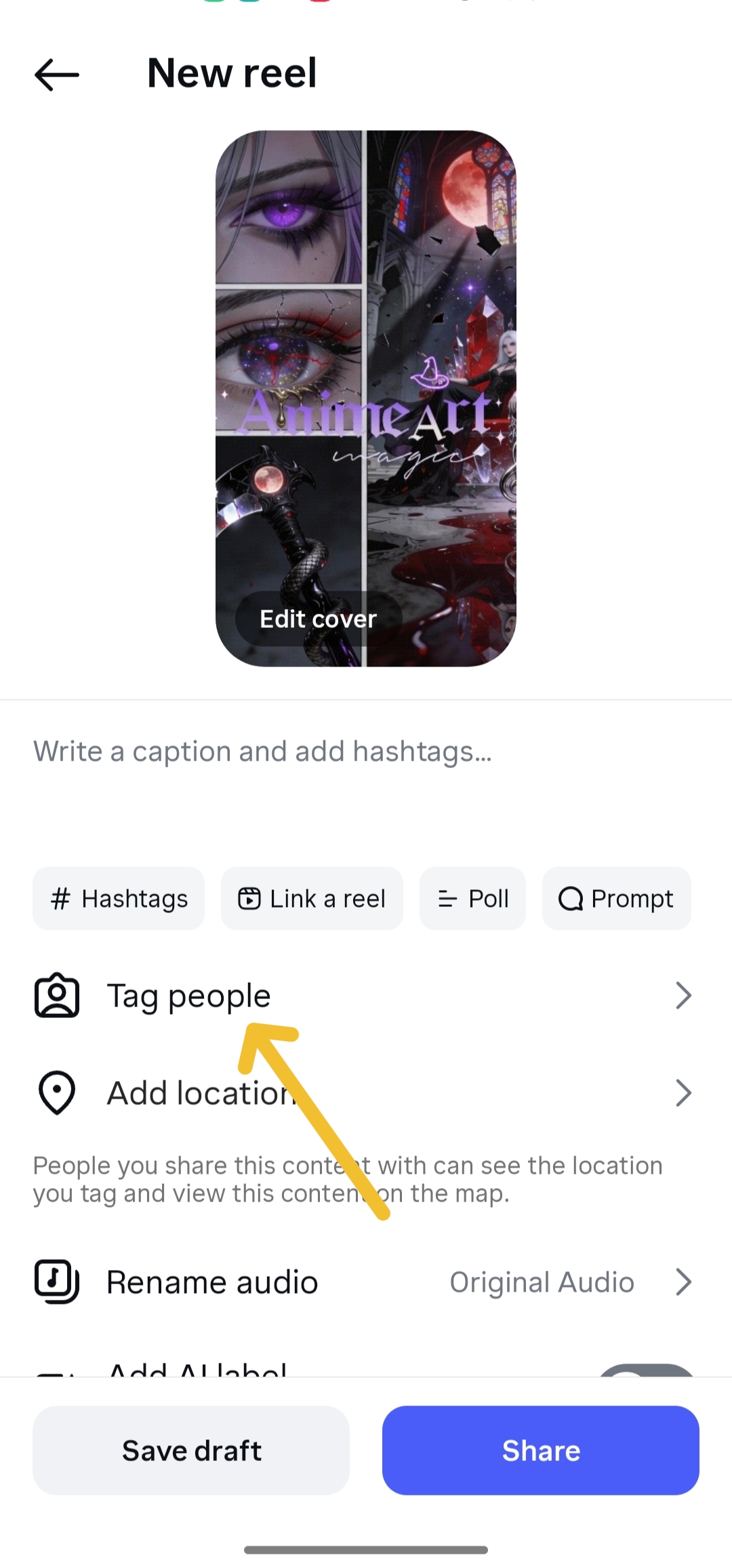
Before publishing:
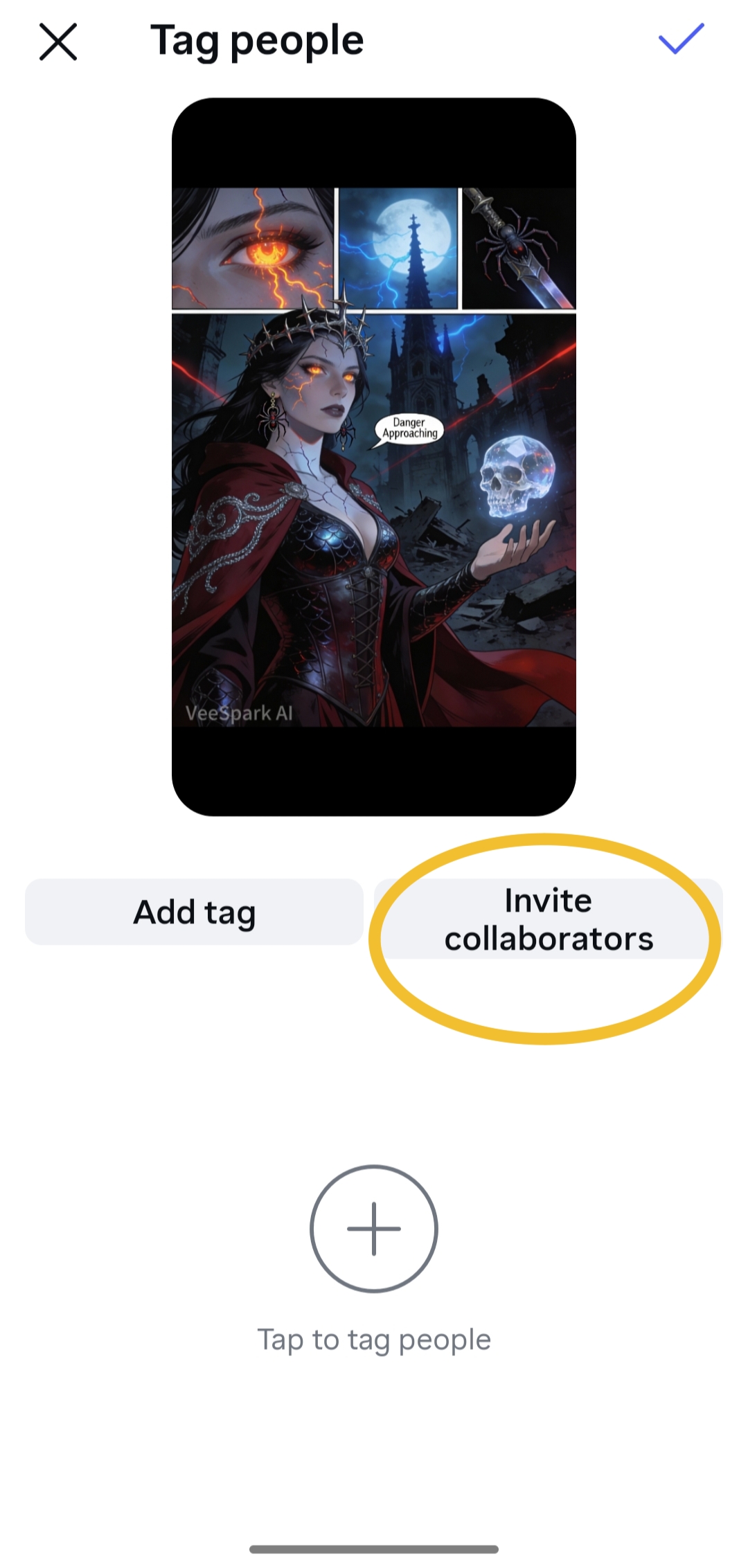
Tap Tag people
Select Invite collaborators
Start typing the username
Choose a collaborator like 'veesparkvideo'
Tap Done
Tap Share. Your collaborators will receive an invite via DM.
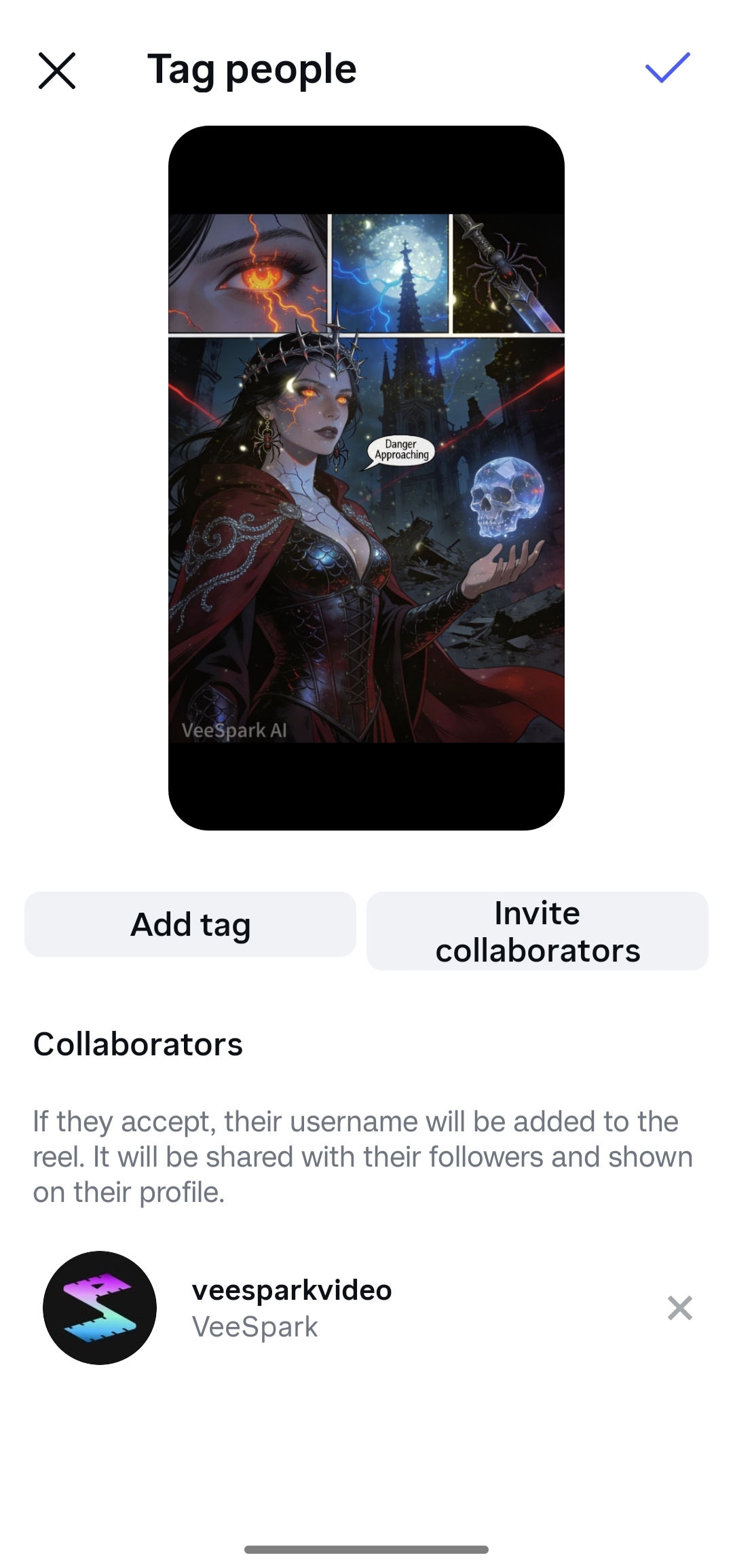
Once collaborators tap Accept, the post appears on their profile feed.
And boom—you’ve officially created a collaborator post on Instagram 🎉
This is the recommended method and works for:
Feed posts
Reels
Videos
Just follow the steps above before hitting publish.
Yes—but with limitations.
Here’s how:
Go to the published post
Tap the three dots (⋯)
Select Edit
Tap Tag people
Choose Invite collaborators
Add the username
Save changes
⚠️ Important:
Not all accounts or post types allow post-publishing collab edits. If the option isn’t visible, you’ll need to repost.
This is one of the most searched questions: how many collaborators on Instagram can you add?
As of now:
You can add up to 5 collaborators on a single Instagram collab post
That means:
1 original poster + 5 collaborators
Total visibility across up to 6 profiles
Instagram may adjust this number over time, so always test before planning large campaigns.
This part trips people up—so let’s clear the air.
Share content across multiple feeds
Focus on visibility and reach
Optional for unpaid collaborations
Required for paid partnerships
Shows “Paid partnership with…”
Ensures ad transparency and compliance
🚨 Important note: Using collab posts does NOT replace branded content labels. If money, gifts, or services are involved, you must still tag branded partners.
Good news—you can collaborate on almost every major content type.
Same steps as feed posts
Massive reach potential
Shared Reel appears in both profiles’ Reels tabs
Works for standard video posts
Great for interviews, demos, tutorials
Ideal for announcements, launches, giveaways
Clean profile appearance
📌 Tip: Reels generally perform best for collab reach.
While Stories don’t support true collab posts, you still have options.
You must be tagged in their story
Tap Add to your story
Add stickers, text, or CTAs
Share the collab post to Stories
Encourage collaborators to do the same
Add link stickers or mentions
This layered approach boosts visibility fast.
Even seasoned creators slip up. Here’s what to watch out for:
Always confirm first. Surprise invites often get ignored.
This can lead to penalties or content removal.
More isn’t always better. Keep it relevant.
Explain the collaboration clearly—or people won’t care.
If collaborators don’t accept, the post won’t appear on their feed.
It means multiple accounts co-author a single post that appears on all their profiles.
Use the Invite collaborators feature before or after posting.
Yes, but only if the edit option is available.
Invite one collaborator—simple and effective.
Up to five collaborators per post.
Yes. Likes, comments, and views are shared.
No. All collaborators must be public accounts.
Instagram collab posts aren’t just another feature—they’re a strategic growth tool. Whether you’re sharing a video, Reel, or feed post, collaboration posts help you reach new audiences faster and more authentically.
This guide applies to general users and creator platforms.
It also supports users working with VeeSpark operations.
Creative Partners and Super Creators should:
Confirm collaborator approval
Use branded labels if required
Review post details before publishing
.png)

